

Why You Should Turn Off Microphone Access for Apps—
Especially in the Legal World
As legal professionals, you deal with sensitive conversations every day: client calls, strategy meetings, and privileged discussions.
The last thing any of us wants is an app quietly listening in. Yet, many apps request microphone access, even when they don’t truly need it. And once granted, those permissions could allow background listening without your consistent awareness. Most reputable apps follow the rules, but not every app is well-designed, well-maintained, or well-intentioned. And in a profession defined by confidentiality, “just in case” is not a legal risk worth taking.
The good news? A quick review of your phone’s microphone permissions dramatically reduces the chance of unintended eavesdropping. It’s one of those small, simple security habits, like locking your laptop screen or using MFA, that go a long way toward protecting both personal and client information.
Want to check your microphone settings on an iPhone? It takes less than a minute:
Navigate to your Settings → Privacy & Security → Microphone and you’ll see every app that has ever asked for access. If an app doesn’t clearly require microphone use, simply toggle it off. And remember: the little orange dot at the top of youriPhone screen means your microphone is currently active… a straightforward way to spot something unexpected or unintended.
Want to check your microphone settings on your Android phone? The steps are just as straightforward:
Navigate to your Settings → Privacy → Permission Manager → Microphone. From there, you can change any app’s access to “Allow,” or “Allow only while in use,” or “Deny.” If you’re unsure, deny is usually the safer choice.
What about Windows Desktop, you ask?
Here’s what my Windows access currently looks like:
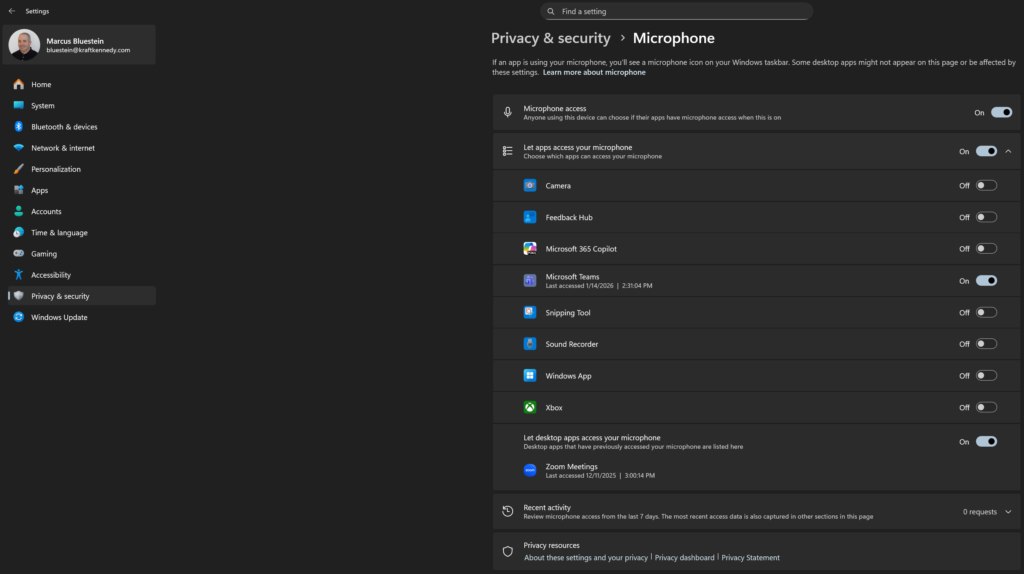
And the same concept applies to many other types of smart technology throughout your home!
More and more homes now have Smart TVs; if you can talk to the TV or into the remote to change a channel or bring up an app, it is listening. Make sure you research the risks and figure out if you can turn the recording or listening features off.
And, for those of us with Alexa (Amazon Echo), Siri (Apple HomePod), and Google Assistant (Google Nest) running in the background, these are likely listening in too! Even your Teams app has listening and recording features, but it also has security settings that allow you to disable your mic and camera, should the need arise.
It’s also important to consider that your privacy isn’t just about your own phone. If your significant other, or any other household members, have apps with microphone access enabled, those apps could be listening whenever you’re nearby, even if you’re not using their device directly. The same logic works for your kids’ phones and tablets; many popular games and social apps request microphone permissions, sometimes enabling features you’ll never use. All this means that confidential or sensitive conversations could be unintentionally exposed, simply because you’re within earshot of someone’s device.
Recommendations for 2026:
To truly safeguard your privacy, and your clients’ information, make it a household practice to regularly review and restrict, as necessary, microphone access on all family members’ devices. Encourage everyone in your home to be vigilant about which apps have these permissions and explain why it matters for both personal and professional security. By taking these extra steps, you help ensure that your private discussions stay private.
With the volume of confidential conversations that take place on our phones, staying in control of microphone access isn’t just a tech tip, it’s a client protection best practice. A few taps today can prevent a much bigger problem tomorrow.

More Information
Looking for more ways to interact with Kraft Kennedy? We’re out and about and can’t wait to see you!
Check out where our team is headed next, here!