An abrupt spike in Direct Access interruption is the most notable problem reported from the automatic downgrade of Windows 10 Enterprise to Pro issue. Subscription Windows 10 licenses are being affected. The result is a loss of VPN connection to backend systems, complicating remote access and reducing end user productivity.
The Kraft Kennedy team is sharing two suggestions for troubleshooting the automatic downgrade of Windows 10 Enterprise to Pro.
1. MFA on the account. A popup / toast notification saying there is an issue with the users work or school account similar to the following prompt:
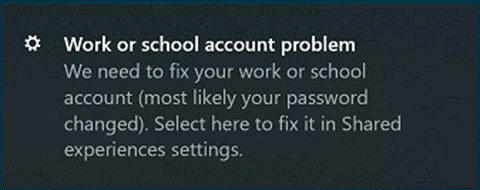
If the user sees the toast notification, they can click on it, or go to ‘Shared experiences‘ and click the ‘Fix now‘ button:
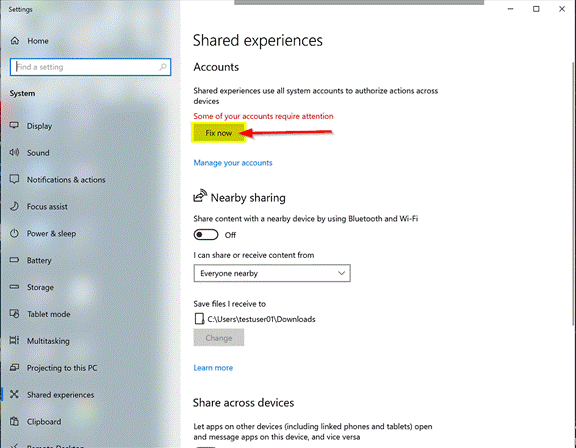
Then it should prompt for MFA and resolve the Enterprise to Pro issue.
2. If the Shared experiences does not show the “Fix now” button, there is another way to force it to “reset.”
Click ‘Manage your accounts‘ link below where the “Fix Now” appears. Select the work account and choose Manage:
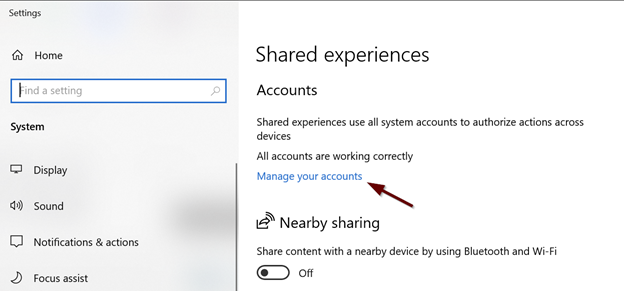
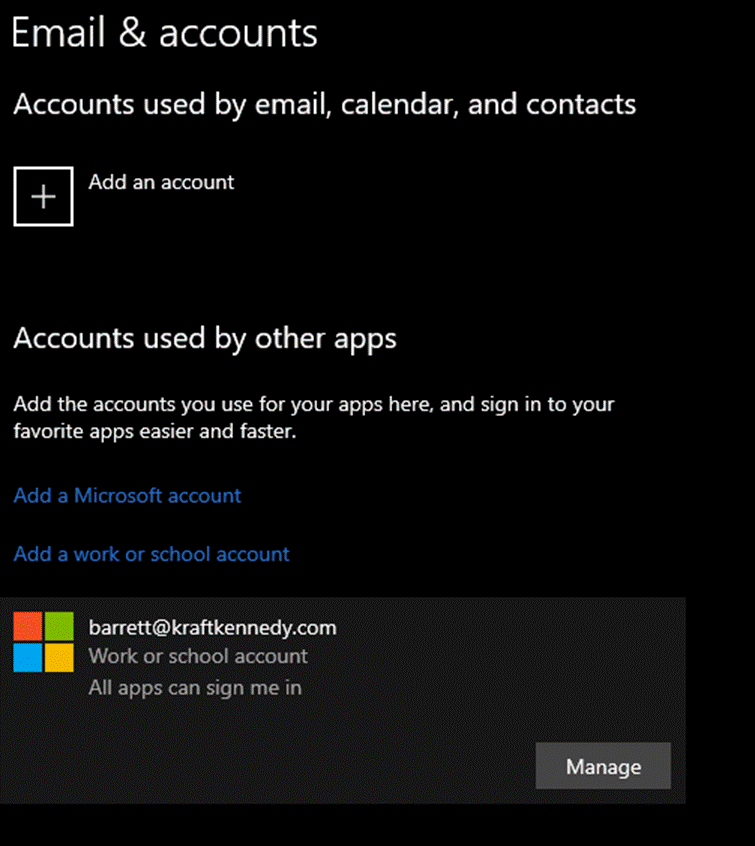
A browser with this screen will open:
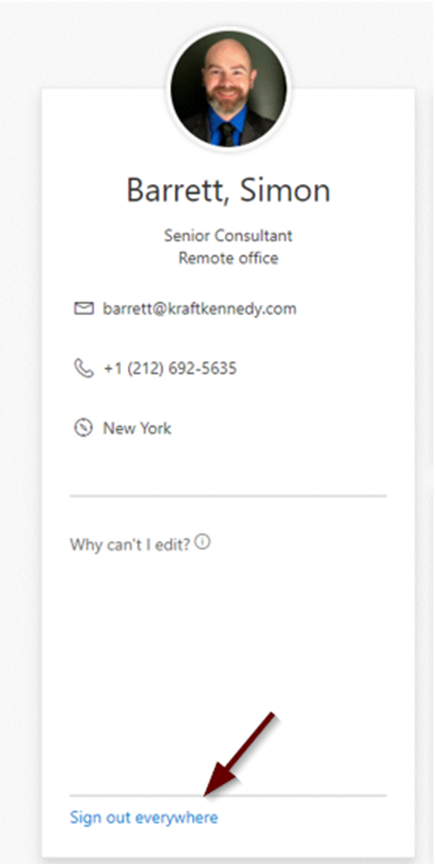
Choose “Sign out Everywhere” and go through the rest of the prompts. This may also cause the system to log the user out of mobile devices.
Once done, reboot the affected machine and log back in. You will receive a prompt to authenticate to Office 365. Once done, the machine should be upgraded back to Windows 10 Enterprise.
To continue to the conversation with our team, please get in touch.