
Copilot Isn’t Broken… It’s Being Literal: Monitoring and Troubleshooting Microsoft Copilot in Legal
If you’ve ever heard a lawyer say, “Copilot gave me a very confident answer… and it was very wrong,” congratulations: you’ve reached the part of AI adoption where the real work begins.
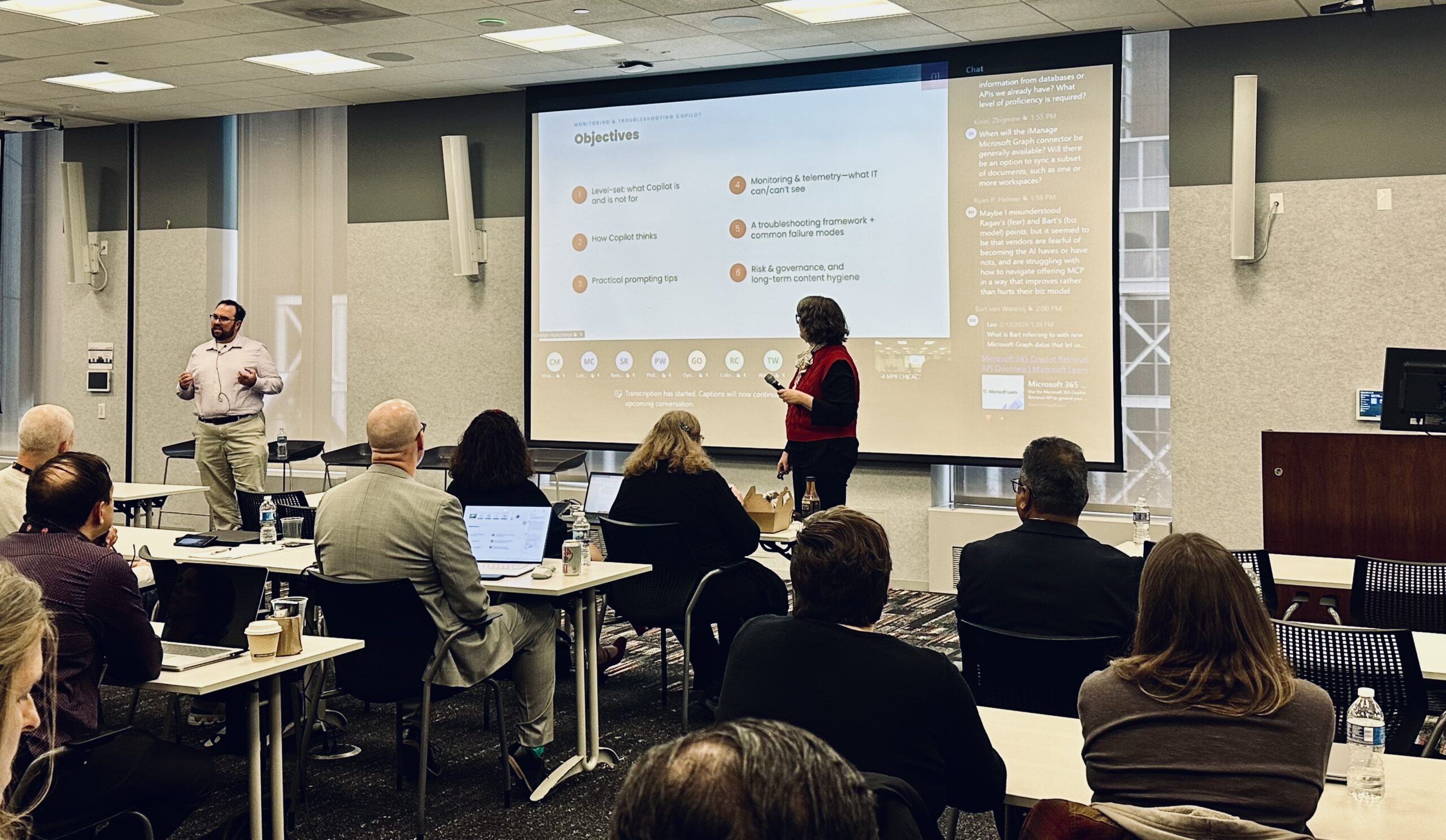
In a Part One blog, we tackled SharePoint as an ecosystem. And now, back in the office after the Copilot Symposium during ILTA Microsoft Tech Days in Chicago (February 2026), Dan Paquette (Kraft Kennedy) and Carolyn Humpherys (Traveling Coaches) delivered a session that hit a nerve, in a good way: Monitoring & Troubleshooting Copilot in a Legal Environment.
The premise was refreshingly practical: Copilot is becoming part of daily legal work, so legal IT needs an operational playbook, one that sets expectations, improves reliability, and helps teams triage issues spiraling into the “AI is magic” or “AI is trash” extremes.
For legal technology professionals across law firms, corporate legal departments, legal operations, and people in roles who touch any facet of AI who will absolutely be asked: “Why did Copilot do that?”, let’s help unpack Copilot with lessons from the session:
1) Level-set: Copilot is a generalist, not a lawyer (and that’s the point)!
Let’s start with the most important expectation reset from the session: Copilot is a generalist, NOT a lawyer. In legal context, that means:
- It’s not trained specifically for legal reasoning (so it doesn’t “think like counsel”).
- It depends on your data, and the quality, structure, and permissions around that data.
- It requires supervision and is meant to support legal workflows, not practice law.
Dan and Carolyn framed this in a way that legal teams can actually adopt: treat Copilot like a junior staffer who is fast, eager, and occasionally overconfident. You wouldn’t file a motion drafted by a first-year without review, and you shouldn’t “ship” Copilot output without the same ethical and logical guardrails.
Translation: The goal isn’t perfection. The goal is predictability, governability, and safe acceleration.
2) “It’s not magic”: a peek Inside the Black Box
One of the best callouts in the session was what Dan called the healthy reality check. Copilot is powerful, but:
- Humans-in-the-loop is essential
- Accuracy depends heavily on inputs and structure
- Models aren’t “programmed by hand,” and even experts can’t fully observe the internals
In other words: there isn’t a single knob you can turn labeled “Make It Right.” Instead, Dan’s session offered a usable mental model for how Copilot “thinks” in practice:
Prompt → Grounding → Reasoning
And here’s the part legal IT should tattoo on the inside of their eyelids:
Breakdowns happen when data is missing, low-quality, locked by permissions, or unstructured.
That’s not an AI problem. That’s an information architecture problem that AI makes impossible to ignore.
3) Common failure modes: the stuff that makes people declare AI “unusable” Governance with Microsoft Purview
The session didn’t sugarcoat it. Copilot failures in legal work tend to cluster into a familiar set of “how did you even come up with that?” behaviors:
- Hallucinated facts (confident-sounding statements that are false or unsupported)
- Fabricated sources or citations (references that look real but don’t exist or don’t support the claim)
- Outdated information (once-true, now-wrong)
- Jurisdiction/context errors (wrong state, wrong regulatory regime, wrong scenario)
- Misinterpretation / drift (answers the wrong question)
- Overly plausible generalizations (something that sounds right, but says nothing)
- Internal inconsistencies and reasoning errors
- Overconfidence without nuance (absolute conclusions where caveats are required)
If you’re thinking, “So… legal work,” yes. Exactly. Our industry is basically a factory for legal edge cases, one-offs, what-ifs, nuance, and “it depends.”
The important point that Dan and Carolyn threaded through this section: you can reduce these failures significantly, but only if you stop treating prompts like wishes and start treating them like work orders.
4) Prompting that actually works in legal: roles, structure, and constraints
The discussion moved forward with Carolyn, tackling Role prompting: “Point Copilot at the job you want done.” This part of the session provided one of the most immediately usable takeaways for legal teams. The advice: assign a role that encourages skepticism and transparency, and supports structured review.
A few core takeaways:
- Treat Copilot it like a new staffer: ask it to “Act like…”
- Pair with instructions that surface uncertainty: “Flag assumptions, missing facts, outdated info, claims needing citations.”
- Better prompts → fewer hallucinations and easier fact checking
This session also offered a simple prompt recipe: RISEN: Role, Instructions, Steps, End Goal, Narrowing.
If your firm is trying to standardize Copilot use across practice groups, RISEN is a nice way to make “good prompting” teachable without turning it into a personality trait.
5) Structure & constraints: how to stop “vague similarity” from ruining your day
We asked Dan to pick the single most legal-relevant takeaway of the whole session, and it’s this:
Vague similarity prompts are risk magnets.
You know the prompt: “Draft something similar to our last employment memo.” Copilot hears “similar” and starts guessing what you meant—facts, timeframe, jurisdiction, tone, structure. And when you ask a system built for pattern matching to guess legal specifics… you get plausibility, not reliability.
This session’s fix was delightfully straightforward: Add constraints. What must stay the same? What must not be invented? What sources can it rely on?
Some examples:
- Vague: “Draft something similar to our last employment memo.”
- Constrained: “Using the attached memo as a style example only, summarize California wage-and-hour law as of 2024. Do not invent citations. Flag any uncertainty.”
And the mic-drop line: When you ask for ‘similar,’ Copilot guesses. When you give constraints, it reasons.
In legal work, constraints aren’t a buzzkill, they’re how you keep speed from turning into rework (or risk).
6) The hidden lever: grounding & information architecture (a.k.a. “AI failures are often content failures”)
This portion of the session talked about giving clean and findable content.
Let’s call out a few practical anchors:
- Use SharePoint containers and use them when well labeled
- This is governance, not optional
- Permissions, labels, and DLP define visibility
- Use metadata and tags
- Reduce duplicates and scattered drives
- Not everyone should have access to everything
- Standardize folder and library structures
Most “AI failures” are information governance and architecture failures. This is where legal organizations have a choice:
Option 1: Treat Copilot issues as “AI weirdness,” handle them ad hoc, and quietly lose adoption.
Option 2: Use Copilot as the best diagnostic tool you’ve ever had for the way your content is organized, labeled, duplicated, permissioned, and maintained.
In legal environments, where knowledge is your product, Option 2 is the only real answer.
7) Monitoring & telemetry: what IT can and can’t see (and why that matters)
This is where the session got very real for legal IT operators. The session broke monitoring into a few buckets:
- Usage patterns
- Copilot interaction metadata
- Connector health
- Audit logs and troubleshooting telemetry
- Search index health (including the very relatable: “Copilot can’t find my doc” → indexing delays)
Dan also calls out retention and discoverability realities that legal teams care about, including that Copilot chat retention is not the same thing as file retention, and that retention policies operate independently of Copilot.
Key operational takeaway: If you want reliability and defensibility, you need a clear internal stance on (1) what’s monitored, (2) how investigations work, and (3) how retention and compliance processes intersect with Copilot use.
8) Troubleshooting framework: the “Six-Box” root cause model
When Copilot produces a surprising result, the worst thing you can do is jump straight to “the model is bad.” The session offered a clean, repeatable triage approach:
Six-Box Root Cause Model:
- Knowledge issue
- Prompting issue
- Grounding/data issue
- Permissions issue
- Connector/configuration issue
- Model-reasoning error
And a simple process instruction: Start with the simplest hypothesis and move outward. This is a gift for IT teams because it turns “AI is unpredictable” into “AI is diagnosable.”
Common “good prompt, bad outcome” patterns
Here are a few examples of why strong prompts can still fail:
- Copilot cites an outdated policy you know was replaced
- Answers change depending on phrasing (conflicting content)
- Output is generic/diluted/hedged (overbroad data)
- Hallucinated details show up when data is missing
And the crucial point: These failures are usually data, grounding, or knowledge issues, not prompt quality. So, if your users are frustrated, the fix might not be “teach better prompting.” It might be “stop making Copilot search through a decade of messy duplicates with inconsistent permissions and no metadata.”
9) Quick user-side fixes (small nudges, big results)
As the session wound down, Dan and Carolyn included a set of immediate mitigations users could apply without opening a ticket:
- Choose Work vs. Web mode intentionally
- Provide exemplar documents
- Iterate with clarifiers
- Use notebooks & agents to constrain scope
This is the kind of guidance that prevents IT helpdesk overload and keeps adoption from dying in the “Copilot is inconsistent” phase.
10) Legal-grade risk mitigation: minimize, label, control
For legal organizations, troubleshooting isn’t just about performance. It’s about risk. This session framed legal-grade mitigation with three verbs: Minimize. Label. Control… Then anchored it with examples:
- Redaction + PII handling
- Use sensitivity labels consistently
- When not to use Copilot
- Web grounding implications in legal workflows
This is the difference between “we deployed AI” and “we deployed AI responsibly in a regulated environment.”
11) Long-term governance: stabilize outputs by stabilizing inputs
The most mature line in the whole session might be this: Stabilize outputs by stabilizing inputs.
For firms, simply:
- Make Content hygiene a priority
- Enact periodic connector and permission audits
- Encourage simple document-hygiene habits
- Focus on sustainable practices, not perfection.
In other words: build a program you can run next quarter, not a fantasy architecture you’ll never staff.
Final takeaway: Copilot operations are the next frontier for legal IT
If your legal organization is scaling Copilot (or even seriously piloting it), the operational question isn’t “Will Copilot be perfect?” It’s:
- Can we diagnose issues consistently?
- Can we monitor the right signals without overpromising visibility?
- Can we improve outcomes by investing in information architecture, permissions discipline, and governance?
- Can we keep legal work safe by designing for review, labeling, and minimum necessary data?
Because in legal, “it gave me a confident answer” is not the finish line. It’s the start of the liability chain and routed in strong eDiscovery. And that’s why this session resonated: it didn’t ask legal technologists to become AI researchers. It gave them a playbook to become AI operators, which is what most of us actually need.

More Information
Looking for more ways to interact with Kraft Kennedy? We’re out and about and can’t wait to see you!
Check out where our team is headed next, here!