• Insights

Using Microsoft 365 tools to prevent Reply All

Marcus Bluestein

< 1 min read

All Insights

Does it bother you when you send an email and recipients Reply All? It bothers me, so I used tools available in our Microsoft 365 E5 licenses to solve this problem. 

The first step was to create and deploy a new Sensitivity Label that removes the ‘Reply All’ permission. In our firm, I called this Sensitivity Label “Prevent Reply All”. This allows anyone to choose this Sensitivity Label on any message they send. This works best with internal recipients. 
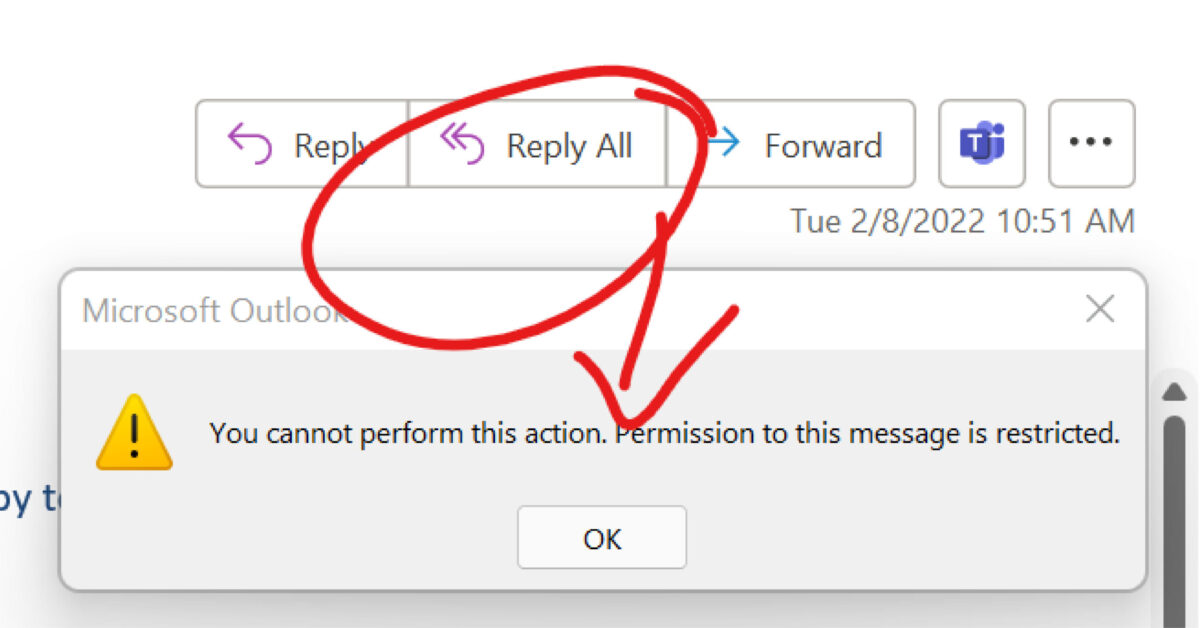
prevent reply all

With step one tested and working, I wanted to take this one step further. My goal was to automatically prevent our users from using Reply All when emails are sent to our Employee distribution list. To do this, I created an Exchange Transport Rule to automatically apply the policy I created above. Sure enough, this is working as well now.

I look forward to a quieter inbox.

Author

  • Tracy

    Passionate about efficiency, and meaningful, engaging experiences.
    Over the past decade overseeing the marketing and business development efforts at Kraft Kennedy, my focus has been digital transformation, implementing data-informed strategies that align cross-functional teams with a vision for growth.
    Leveraging expertise in business process improvement, technology adoption, and transition management, I help drive initiatives that enhance organizational performance. Harnessing technology to achieve more.
    My work focuses on understanding the changing needs of law firm professionals, and developing opportunities for knowledge exchange and delivery of actionable insights from technology experts.